- Your cart is empty
- Continue Shopping


|
Specifications
|
||
|---|---|---|
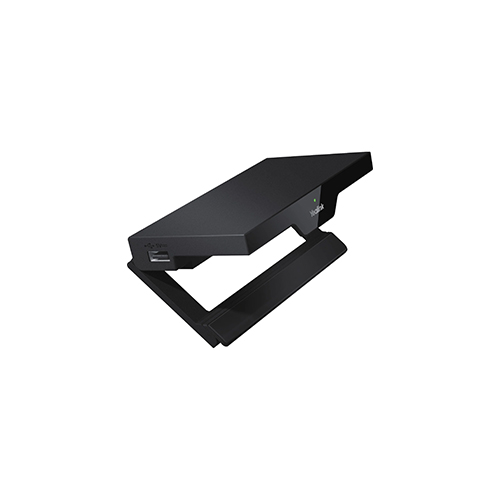
| Product Name | Yealink RoomCast for Zoom Rooms | |
| Product Type | Digital signage + wireless presentation system for Zoom Rooms / meeting rooms | |
| Primary Functions | Wireless screen casting, multi‑platform content sharing, digital signage display when room idle | |
| Supported Casting / Sharing Methods | Miracast, AirPlay, Google Cast, native Zoom Direct Sharing / Zoom Sharing Key, Yealink Wireless Presentation Pod / transmitter | |
| Video Output / Resolution | Up to 4K / 60 fps (Ultra HD) for sharp, high‑quality display output | |
| Simultaneous Screen Sharing | Supports up to 4 simultaneous sources / screens being cast at the same time | |
| Collaboration Features | Virtual whiteboard, annotation tools, multi‑source display — useful for brainstorming / collaborative sessions | |
| Connectivity / Interfaces | HDMI‑out (to display/TV), Gigabit Ethernet (PoE supported), 2 × USB‑A, plus typical ports (power, reset, security slot) | |
| Network & Wireless | Built‑in 802.11ac 2×2 MIMO Wi‑Fi; supports various Wi-Fi modes (STA / AP / P2P) — suited for flexible room setups | |
| Power Supply / Installation | Power-over-Ethernet (PoE) or DC‑adapter — supports clean installs with minimal cabling; compact design suitable for mounting on display or desk | |
| Use Cases / Ideal Room Types | Small to medium meeting rooms, classrooms, huddle spaces, breakout rooms — also suitable for lobby/hallway for digital signage | |
| Digital Signage Capabilities | Ability to display images, videos or web‑based content when no meeting is active (e.g. company news, announcements, schedules) | |
| Security & Data Protection | Local‑LAN casting (content stays within network), Wi‑Fi encryption (WPA2‑PSK), secure transmissions, optional PIN / access control for casting | |
| Management & Deployment | Remote management and diagnostics via Yealink’s device‑management / workspace‑management platform (or via Zoom’s device management when used with Zoom Rooms) | |
| Compatibility | Works with Windows, macOS, iOS, Android devices; any device supporting Miracast / AirPlay / Chromecast / Zoom sharing — no special app required for basic casting | |
There are no inquiries yet.